
Your instructions
Standing instructions for every kind of draft.
Your instructions are standing orders for one kind of draft. Where memory holds facts, instructions say how a kind of draft should always be written, and they win over anything memory learned. Max
Write your instructions
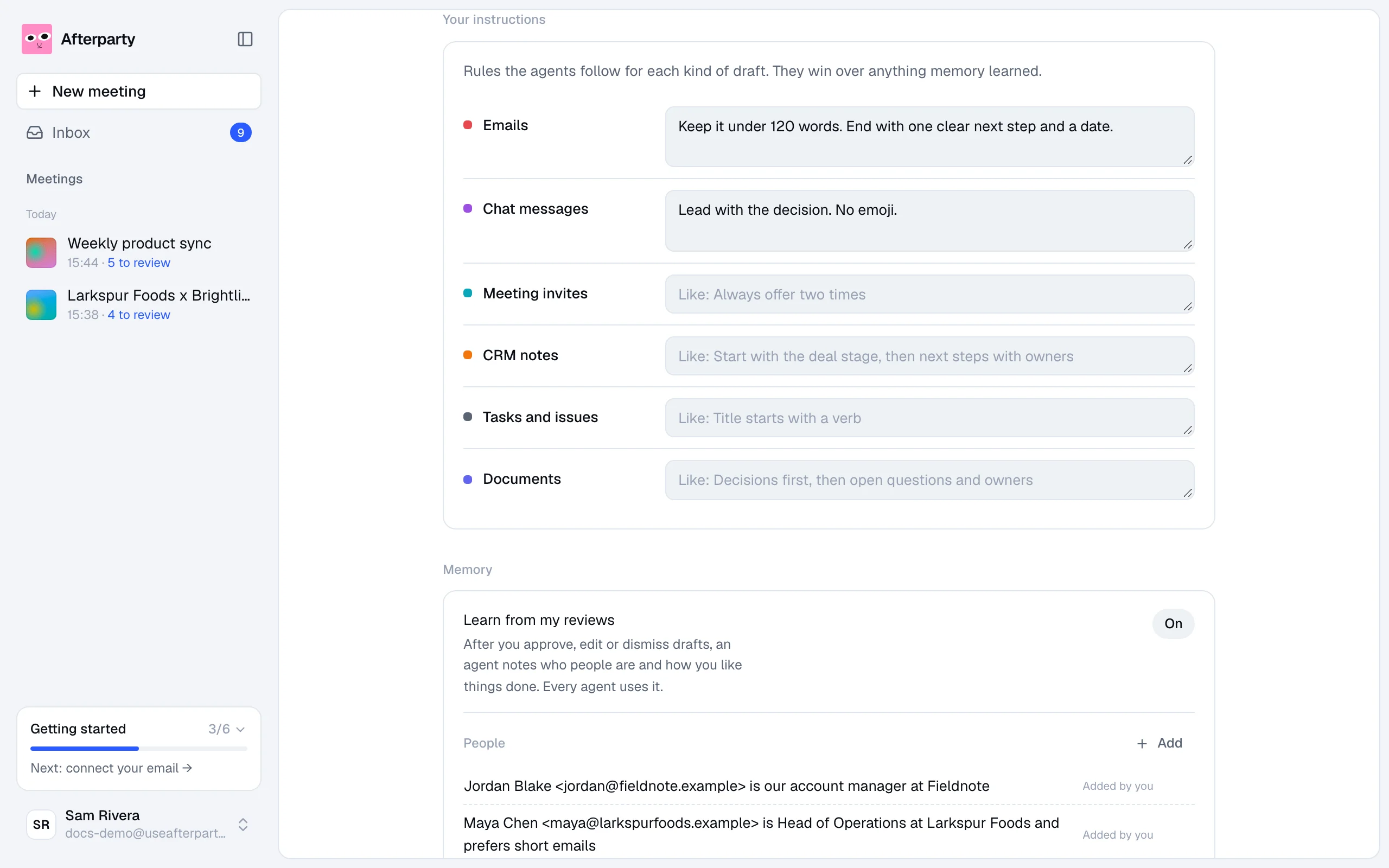
Open Settings and find Your instructions. There is one field for each kind of draft: emails, chat messages, meeting invites, CRM notes, tasks and issues, and documents. Write as much or as little as you like. It is saved when you click outside the field.
Some ideas
- Emails: Keep it under 120 words. No subject lines in all caps. Always end with a clear next step and a date.
- Chat messages: Lead with the decision. Use bullet points for more than two items. No emoji.
- Meeting invites: 30 minutes unless the meeting said otherwise. Add a short agenda.
- CRM notes: Start with the deal stage, then next steps with owners and dates.