
Follow a meeting
Watch the agents work, read the summary and find every action.
Your meetings are listed in the sidebar, newest first. Each shows how many drafts are waiting for you. Click one to open it.
While the agents work
Right after you start a meeting, you can watch the agents read it. A card appears for each of your actions as soon as it is found, and the agent working on it shows what it is doing: reading your apps, writing, or waiting with a question for you. Cards being drafted have a moving border. A typical meeting takes about a minute.
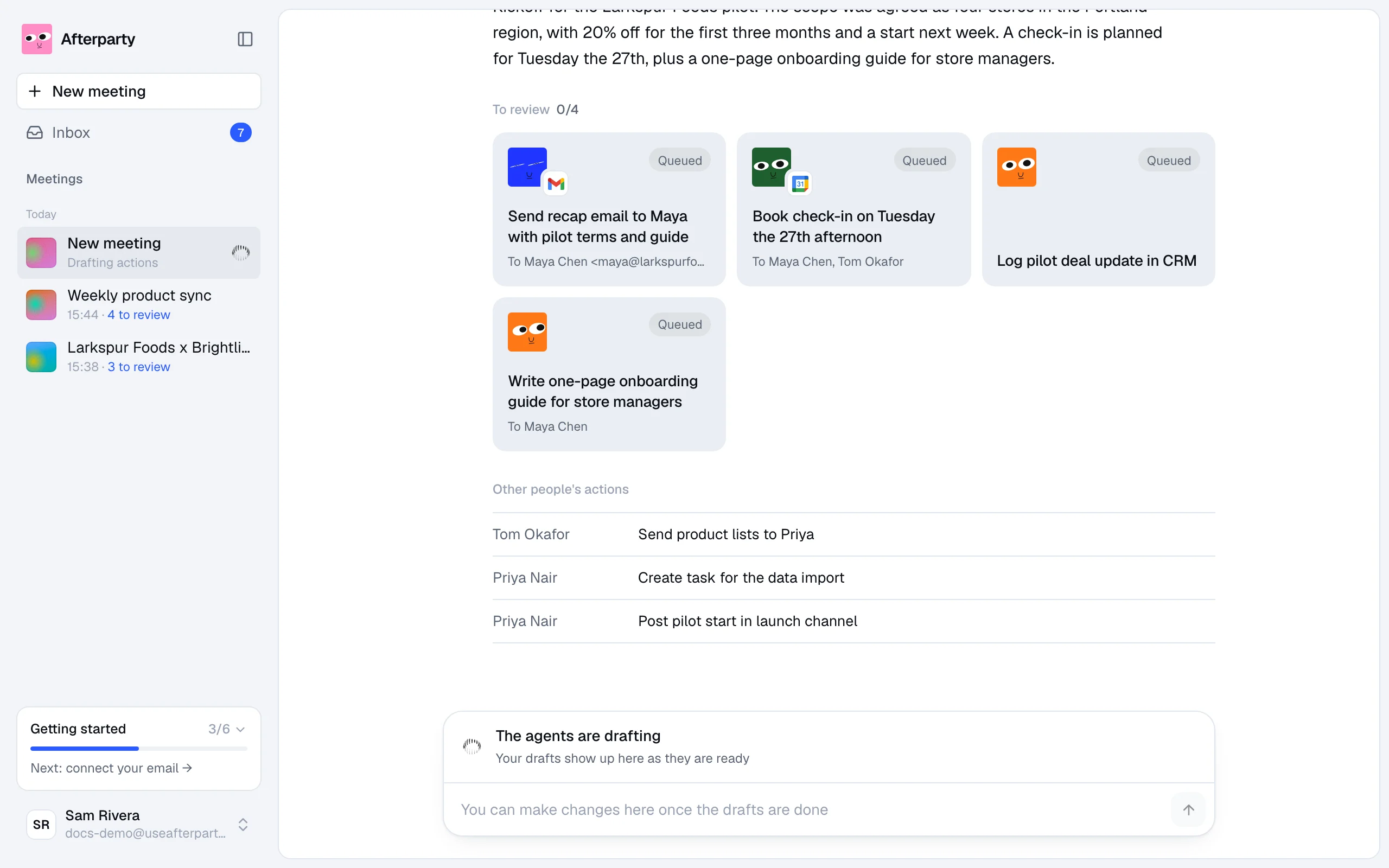
You don't need to wait on the page. Drafts keep coming in while you do something else, and the Inbox count in the sidebar goes up as they are ready.
A finished meeting
At the top you find the meeting's title, date and language, and a summary of what was agreed. Below it:
- To review: your actions, each as a card with its agent, the app it will land in, and its status. Click a card to open the draft.
- Already done: actions the agents found are already taken care of, for example an email you already sent.
- Other people's actions: what everyone else promised, so you know who owes what. These get no drafts.

Click Transcript to read the whole meeting, and Worked for ... Show to see each step the agents took.
The review bar
The bar at the bottom counts the drafts that are ready. Click Review drafts to go through them one by one, right on top of the meeting. The field under it takes changes for the whole meeting in plain words, such as make all the emails shorter or also send the deck to Tom. If it is unclear which draft you mean, the agent asks.
Delete a meeting
Click the bin next to the date and confirm. The transcript and every draft from it are removed for good. Anything you already approved stays where it landed.