
Plans and limits
What counts as a meeting, and how to change your plan.
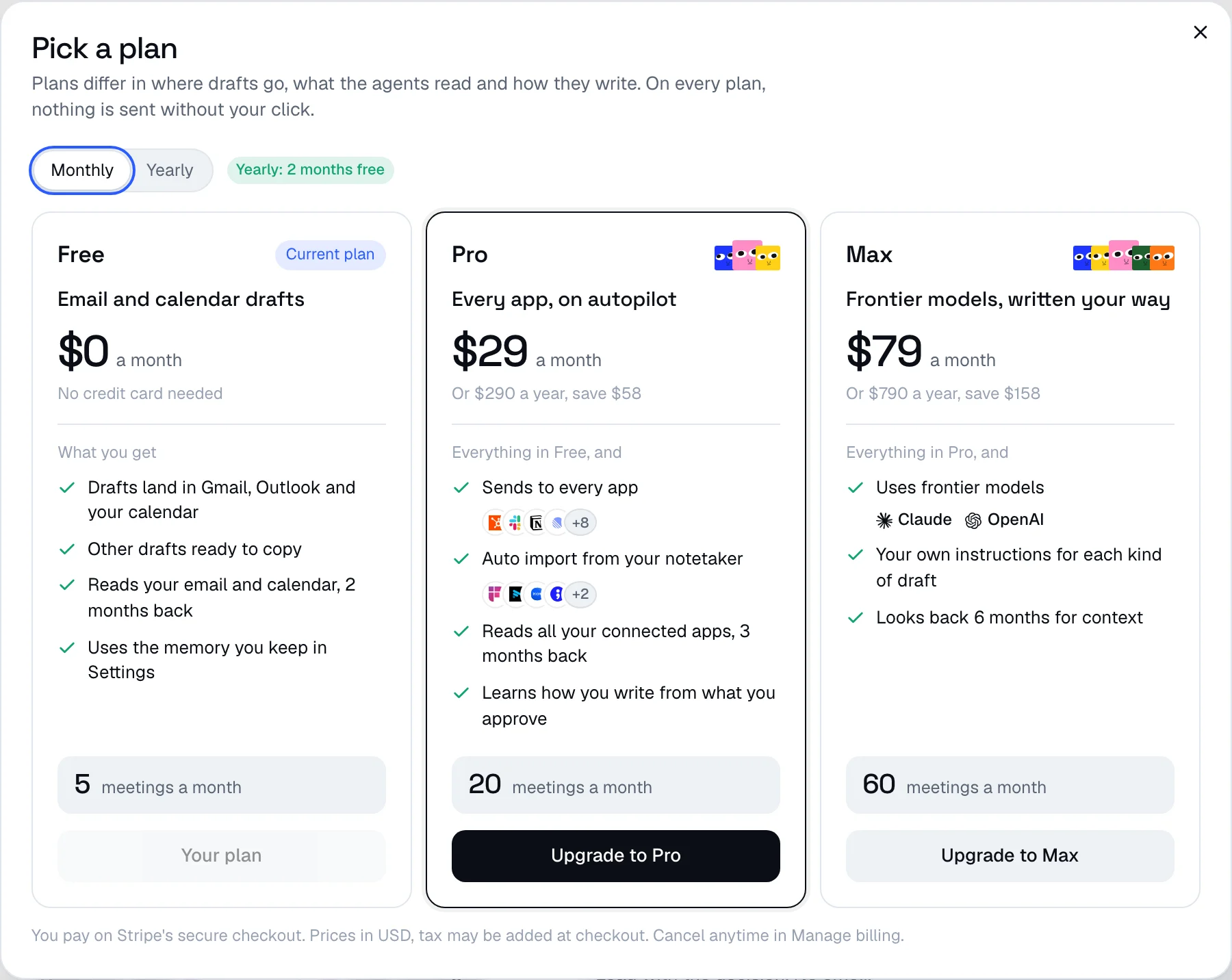
Afterparty has three plans: Free, Pro and Max. Every plan drafts every action from every meeting and waits for your click. They differ in how many meetings you can run, where drafts can go, what the agents read and how they write. The pricing page has the details.
What counts as a meeting
One transcript the agents run on, whether you paste it, upload it or import it. Reviewing, editing, asking for changes and approving never count. An imported meeting only counts once the agents run on it, so meetings your rules skip are free. Deleting a meeting does not give it back.
Settings shows how many meetings you have used and when your count starts over. On Free it counts the last 30 days; on Pro and Max it starts over on your billing date each month.
When you reach your limit
New meetings stop until a slot opens, and the new meeting box tells you when that is. Everything you already have keeps working: you can still review, edit and approve every draft. There are no extra charges, and an upgrade applies right away.
Upgrade
- Open Settings and click Upgrade under Plan.
- Pick monthly or yearly (two months free) and the plan you want.
- Pay with your card on Stripe's secure checkout. You are back in Afterparty with your new plan right after.
Change plan, cancel or get receipts
On a paid plan, Manage billing in Settings opens your billing page. Switch plans, move to yearly, update your card, download invoices or cancel there. An upgrade starts right away and a downgrade on your next billing date. When you cancel, your plan stays on until the end of the period you paid for. Then you are on Free, and your meetings, drafts and memory stay.